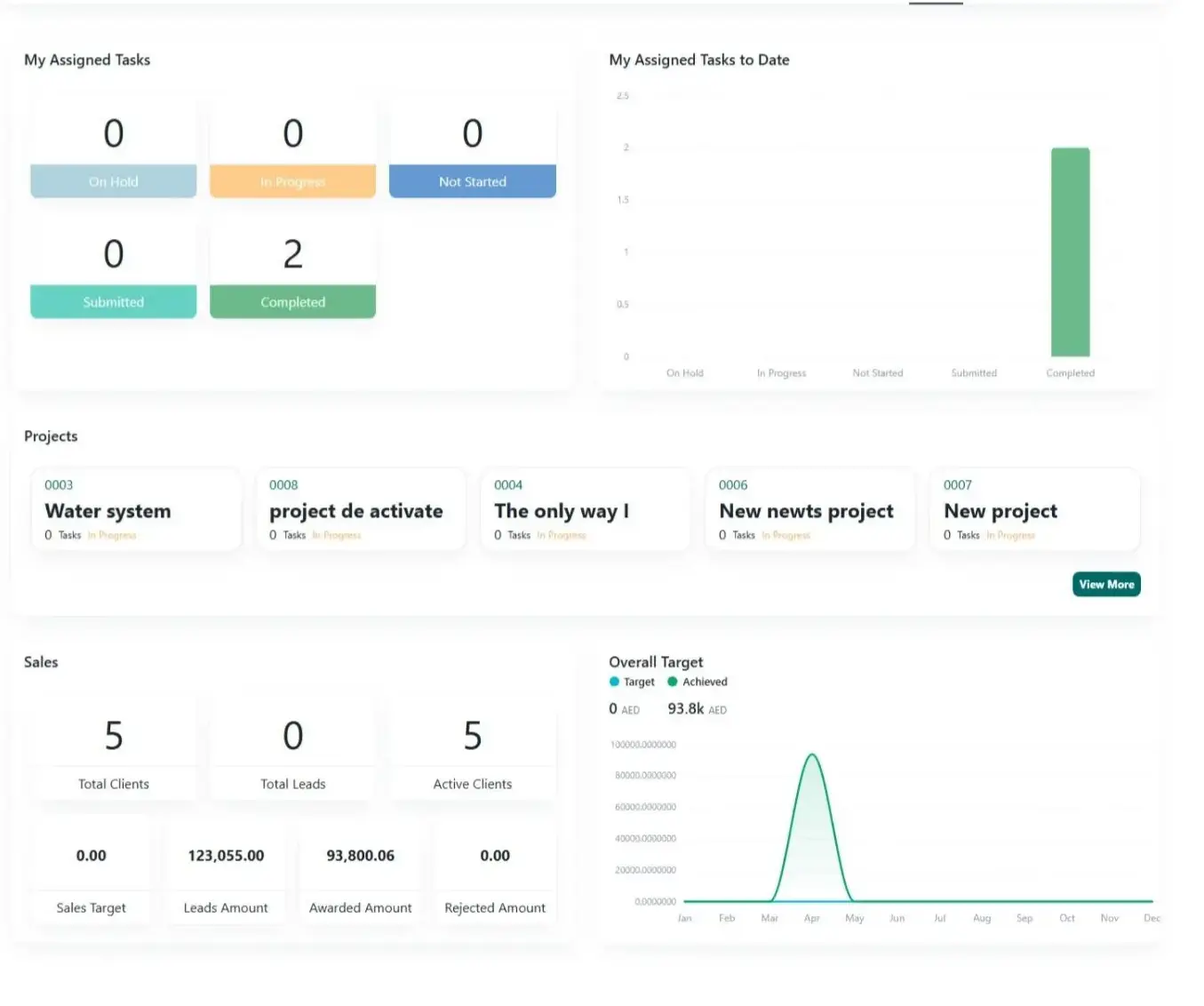
User management, organizational hierarchy, role-based access control — everything to manage teams with precision and efficiency.
The Manage Users, Organizational Hierarchy & Team Collaboration module provides a centralized framework for structuring and managing the people within an organization. It enables businesses to create and maintain a clear digital representation of their organizational structure, including users, departments, teams, reporting relationships, roles, and responsibilities. By bringing this information together in one connected environment, Novologs helps organizations improve visibility, accountability, communication, and collaboration across all levels of the business.
The module allows organizations to manage user profiles and define how individuals are positioned within the company. Each user can be associated with relevant teams, departments, roles, projects, and responsibilities, creating a clear understanding of who is involved in different areas of the organization. This structured approach makes it easier to coordinate work, assign responsibilities, and ensure that the right people have access to the information and tools required for their roles.
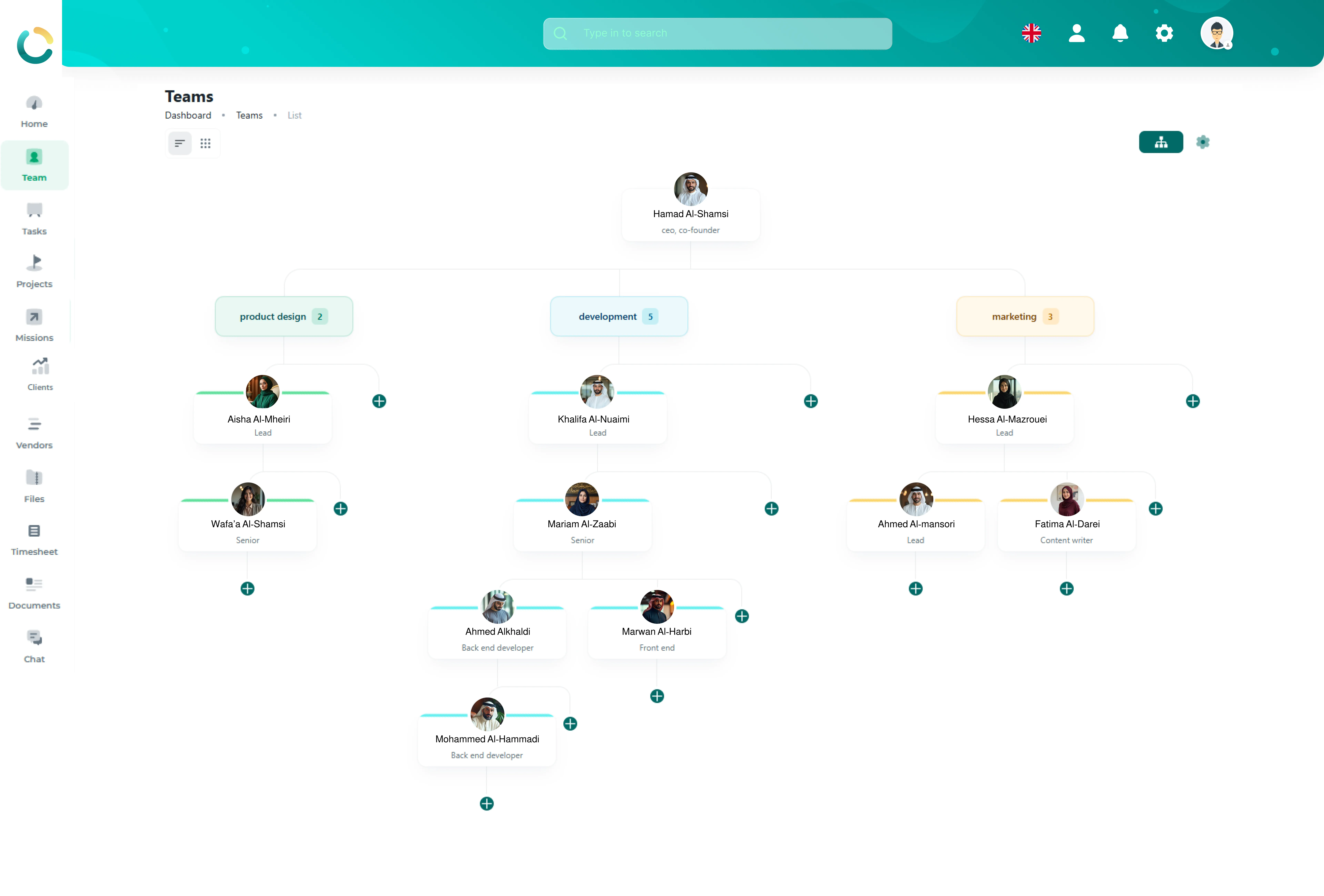
A key feature of this module is the ability to establish and maintain an organizational hierarchy. Companies can represent their internal structure by defining reporting relationships and organizational levels, from senior leadership and department heads to managers, team leaders, and individual employees. The system also allows to set permission for each user, so they can work inside the boundaries assigned to them. This provides a clear view of how the organization is structured and how responsibilities flow across different levels.
The organizational hierarchy can also support greater accountability and operational visibility. Managers can have a clearer understanding of the teams and employees under their responsibility, while employees can understand their reporting structure and the people they collaborate with. This helps establish clearer lines of responsibility and supports more effective coordination across departments.
Because this module is connected to the wider Novologs ecosystem, team information can be linked directly with projects, tasks, timesheets, communications, documents, and other business activities. This gives organizations a more complete view of how teams are operating and contributing to overall business objectives.
Team Hierarchy
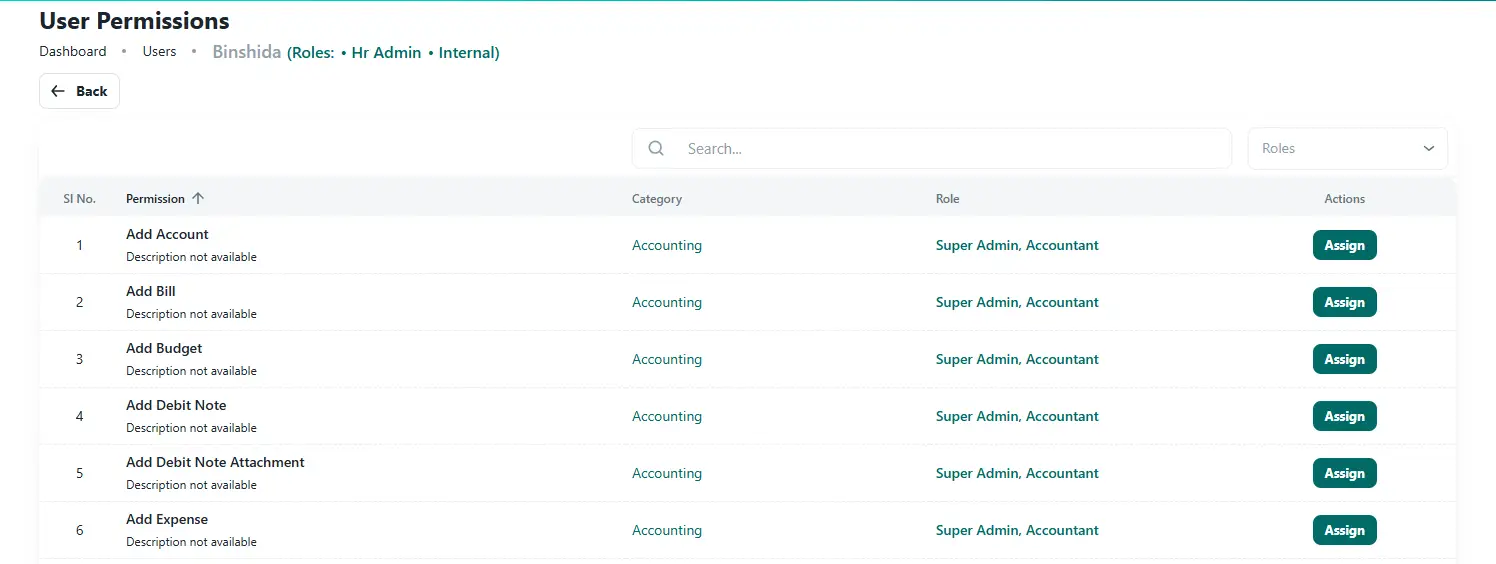
Roles & permissions control
Capabilities
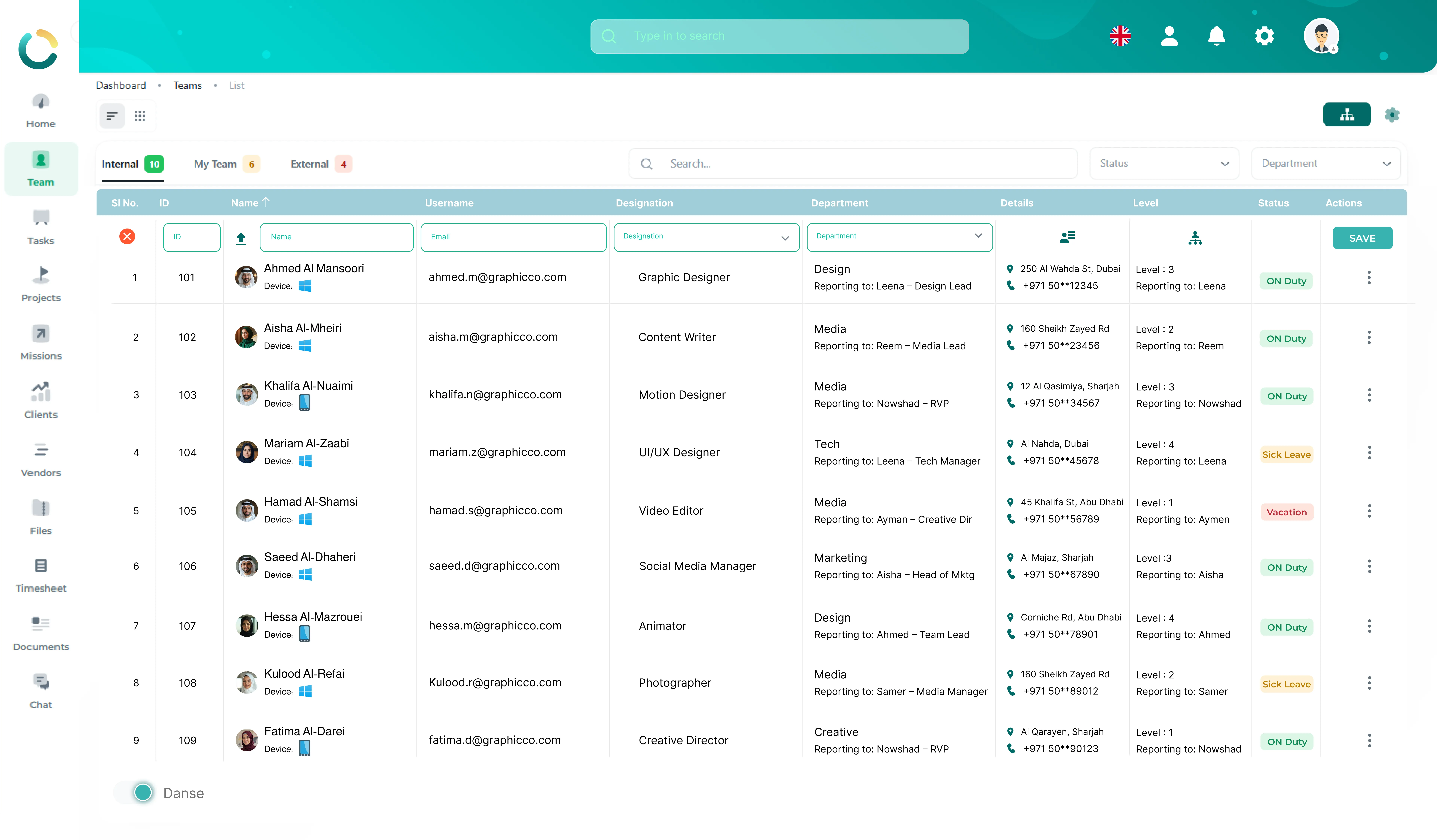
Create and manage employee profiles, contact details, skills, roles, documentation, status, and activity records from one centralized team directory.
User Profiles
Manage complete employee recordsContact Details
Email, phone, and personal infoCustom Fields
Role-specific employee dataDocuments
Employee files and recordsStatus Control
Activate, deactivate, and track usersAudit Trail
User activity and changes history
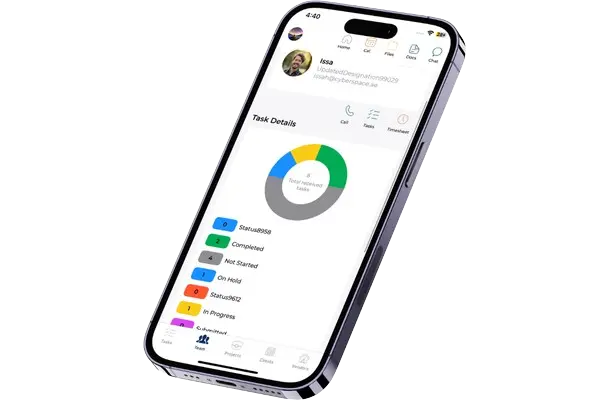
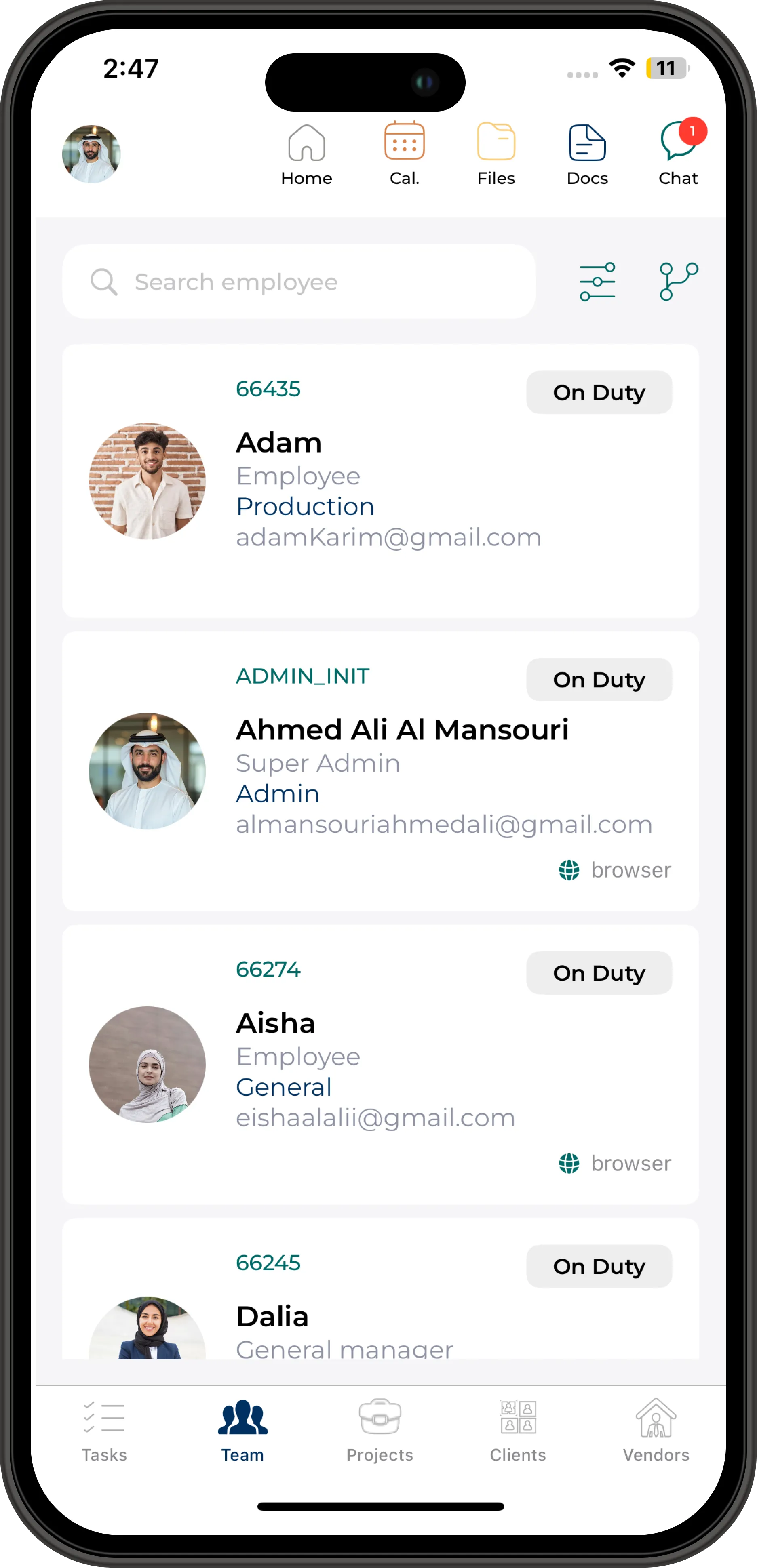
Search team members, view profiles, and access contact information instantly from mobile.
Profile access
View employee profiles instantly.Quick search
Find people, roles, and teams quickly.Live sync
Updates stay aligned across web and mobile.Create departments, divisions, sections, reporting lines, and visual hierarchy structures with clear ownership across the organization.
Departments
Create departments and sub-departmentsHierarchy Levels
Define organization hierarchy levelsReporting Lines
Manage reporting relationshipsOrg Charts
Create visual organizational chartsDivisions & Sections
Define division and section structureManagers
Set department heads and managers
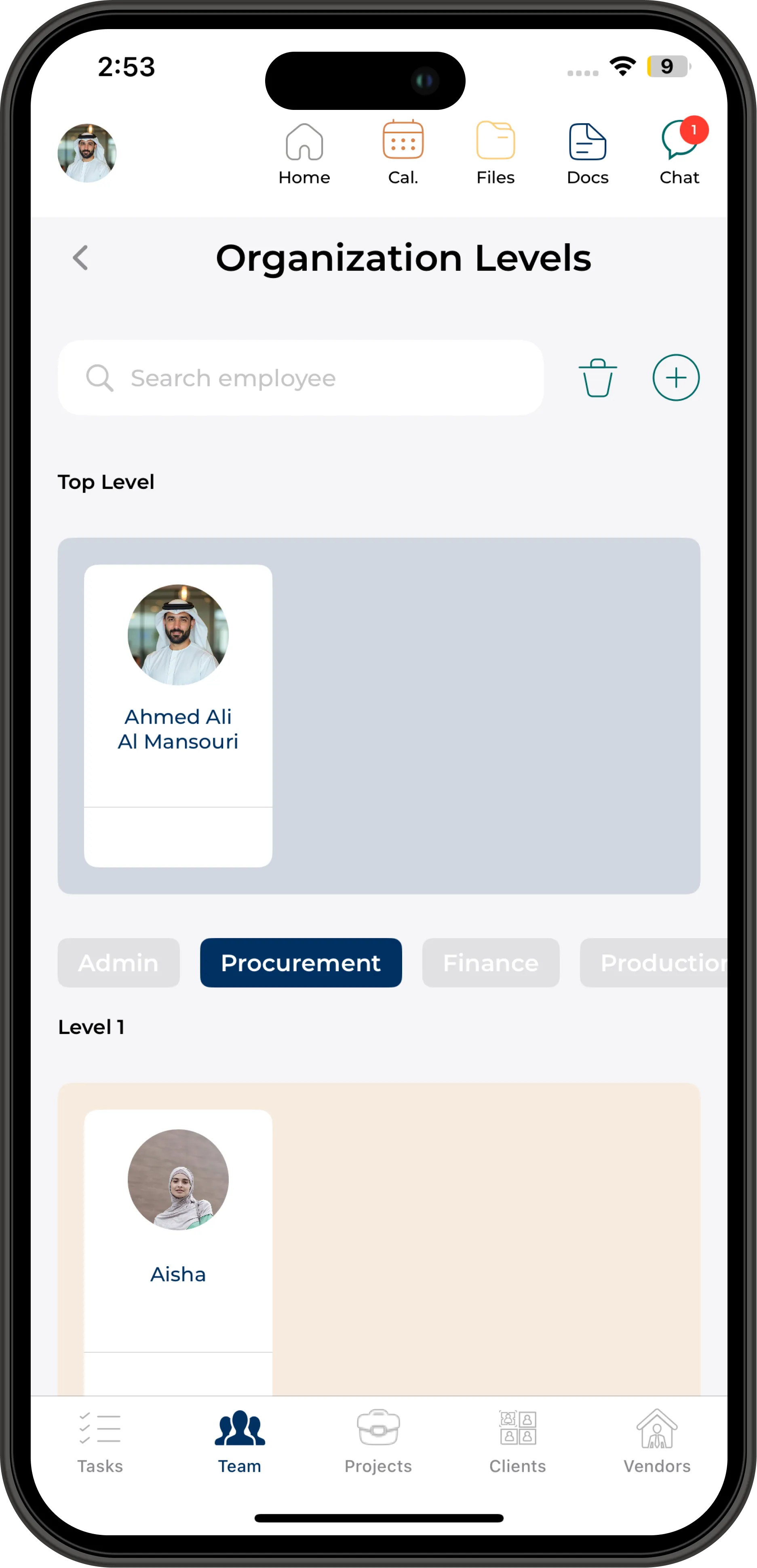
Access org charts, reporting relationships, department details, and hierarchy visibility from mobile.
Org charts
View visual hierarchy clearly.Department drill-down
Explore departments and reporting layers.Live sync
Keep organization data updated everywhere.Control access with custom roles, department-level restrictions, feature permissions, and full audit visibility from a secure admin panel.
Custom Roles
Create user roles and permission groupsDepartment Access
Restrict access by department or sectionAction Permissions
View, edit, create, and delete controlFeature Access
Control module and feature visibilityActivity Logs
Track user activity and access changesAdmin Control
Centralized web-based permission setup
Access secured
Permissions enforced
Users can access mobile features according to their assigned roles, while permission setup remains securely managed from the web admin panel.
Role-based mobile access
Users only see what they are allowed to access.Feature visibility
Mobile modules respect assigned permissions.Activity visibility
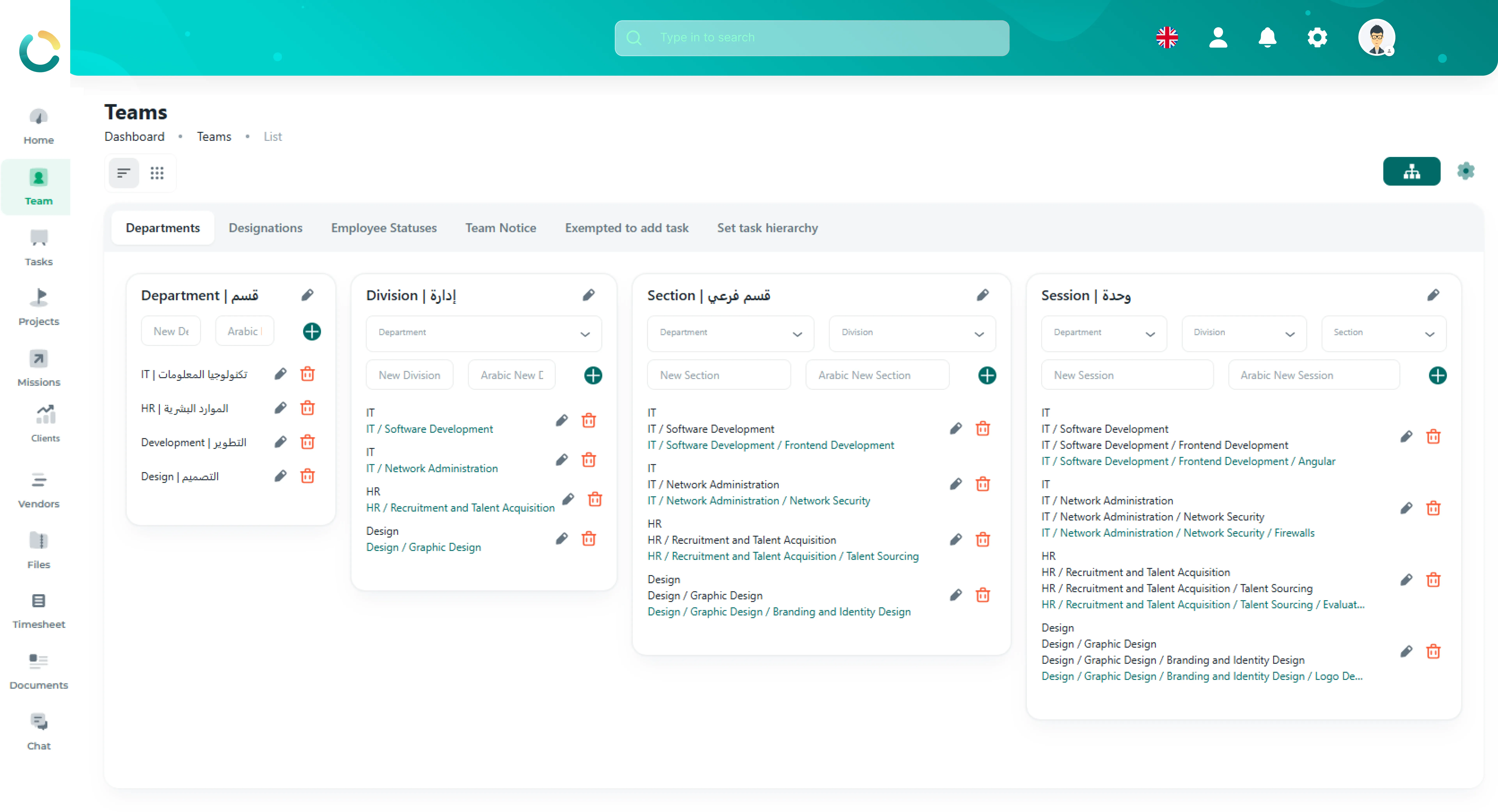
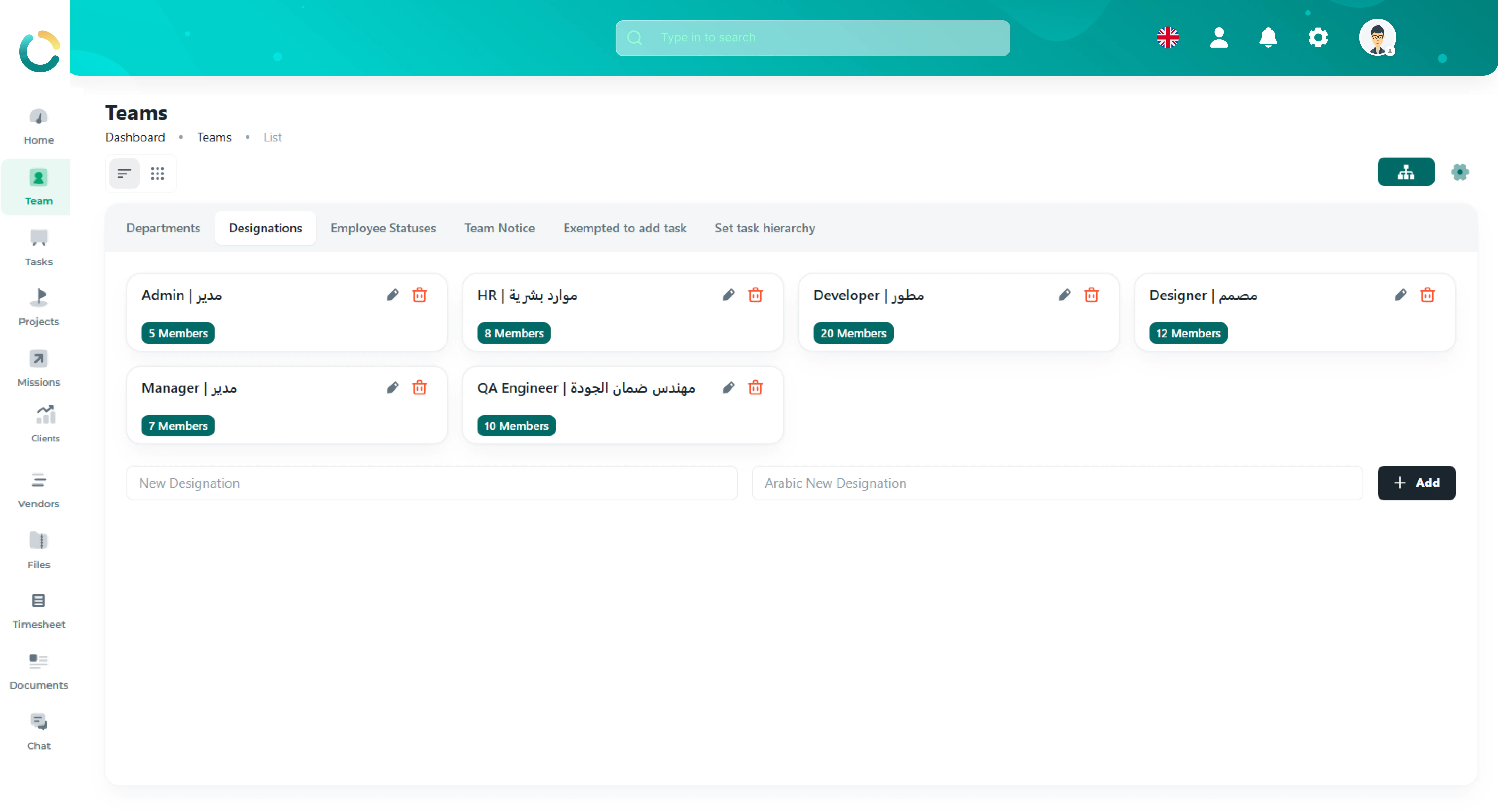
Access and activity remain traceable.Organize employees into departments, divisions, sections, designations, and working groups with centralized workforce visibility.
Departments
Manage departments and divisionsTeam Grouping
Organize employees into teamsDesignations
Manage titles and employee statusMulti-level Hierarchy
Support sections and reporting layers
Employees can access assigned departments, team structure, and organizational visibility from mobile.
Department access
View assigned departments clearly.Team hierarchy
Understand reporting layers and structure.Live sync
Department updates stay aligned everywhere.Track employee activity, department visibility, role access, and organization reporting with centralized monitoring and live dashboards.
Activity Tracking
Track employee and department activityLive Dashboards
Real-time workforce reporting dashboardsAudit Visibility
Track access changes and role activityPerformance Insights
Department and team visibility
Audit recorded
Timeline preserved instantly
View audit activity, workforce visibility, and reporting insights directly from mobile devices.
Audit trail
Track workforce activity and changes.Timeline visibility
Review access and activity history.Live sync
Updates stay aligned across web and mobile.Configure departments, designations, employee status, permissions, announcements, and organization-wide administrative settings with centralized access management.
Web Administration
Employees can access organization features and assigned permissions from mobile devices, while administrative configuration and permission management remain controlled through the secure web admin panel.
Structure departments, manage employees, control access, and monitor workforce activity from one centralized platform.
Create employee profiles with departments, designations, contact details, and organization roles.
Group employees into departments, divisions, sections, and working teams with structured hierarchy.
Control permissions, role visibility, employee access, and organization-wide restrictions securely.
Track workforce activity, department visibility, employee status, and organizational insights in real time.
See your team directory, organizational structure, access controls, and workforce insights in one unified view. Available on web, iOS, and Android — always in sync.
Web App
All browsers
iOS
App Store
Android
Google Play
Encrypted
End-to-end
Structure departments, manage employees, control access, and monitor workforce activity from one centralized platform.
Create employee profiles with departments, designations, contact details, and organization roles.
Group employees into departments, divisions, sections, and working teams with structured hierarchy.
Control permissions, role visibility, employee access, and organization-wide restrictions securely.
Track workforce activity, department visibility, employee status, and organizational insights in real time.
See your team directory, organizational structure, access controls, and workforce insights in one unified view. Available on web, iOS, and Android — always in sync.
Web App
All browsers
iOS
App Store
Android
Google Play
Encrypted
End-to-end
Team Management connects natively with the entire NOVOLOGS suite.
Centralize departments, employee structure, permissions, and workforce visibility with one unified team management platform.