Document Management

Secure file storage,
collaboration & version control.

Enterprise-grade encryption, version control, collaborative sharing — everything to manage files securely.

The File Repository and File Management module provides a centralized and secure environment for storing, organizing, accessing, and sharing business files across the organization. Similar in concept to cloud-based file storage platforms such as Google Drive or Microsoft OneDrive, this module enables users to maintain all important business files within the Novologs ecosystem.

Organizations generate and manage a significant volume of digital content every day, including proposals, presentations, contracts, invoices, reports, drawings, images, spreadsheets, technical documents, and other business-critical files. When these files are stored across multiple computers, email accounts, external storage platforms, and individual user accounts, it becomes difficult to maintain control, accessibility, and organizational knowledge. The Novologs File Repository addresses this challenge by providing a structured and centralized location for business files.

Files can be organized according to projects, departments, teams, customers, vendors, contracts, or other business categories. This allows users to locate information within the appropriate business context rather than searching through disconnected folders or applications. For example, all files related to a particular customer or project can be connected directly to the relevant record within Novologs.

The module can support controlled file sharing and access management, ensuring that authorized users can access the information relevant to their responsibilities. This helps organizations maintain better governance over sensitive and important business information.

Because the File Repository is integrated with the wider Novologs ecosystem, files are not simply stored independently. A file can be connected with a task, project, customer, vendor, contract, communication, or other business activity. This creates a more intelligent and organized information environment.

The AI Agent further enhances the value of the File Repository by helping authorized users locate relevant information through natural language. Instead of manually searching through folders, users can ask questions such as which documents are related to a specific project, customer, vendor, or business activity. The AI can assist in identifying and retrieving relevant information based on the user's authorized access.
File Repository
app.novologs.com/repository
NOVOLOGS File Repository Dashboard

Capabilities

Complete file management.
In one platform.

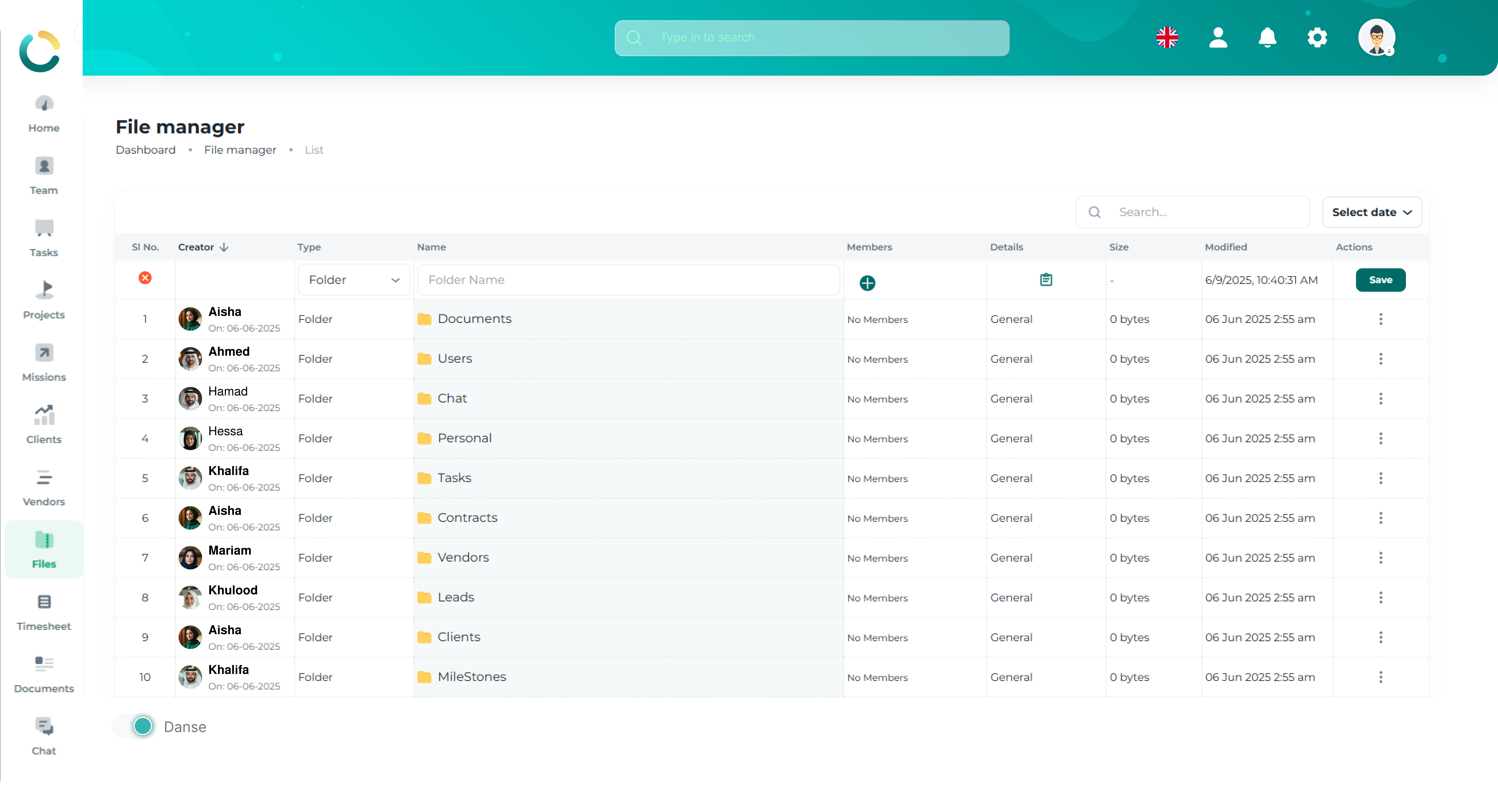
Folder & File Library

Manage folders and files in one organized table.

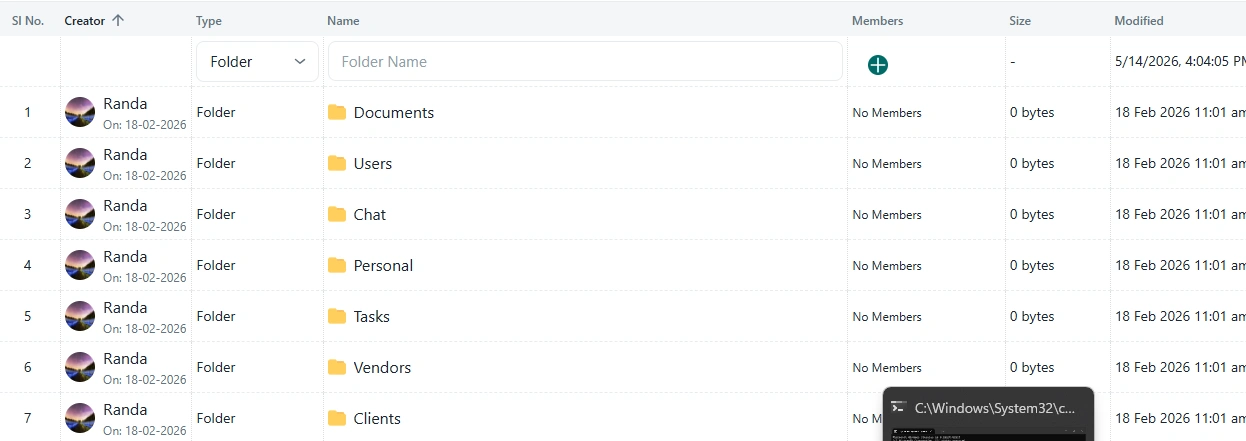
View folders and uploaded files with creator details, file type, members, size, modified date, and quick actions from a clean file manager interface.

Folder List

Organize files under folders like System and General

File Records

Show file name, type, size, and modified date

Creator & Members

See who created the item and who has access

Quick Actions

Use row actions to manage each file or folder
Folders Files Members Modified date
app.novologs.com/file-manager
NOVOLOGS File Manager Web View
NOVOLOGS Mobile File Manager
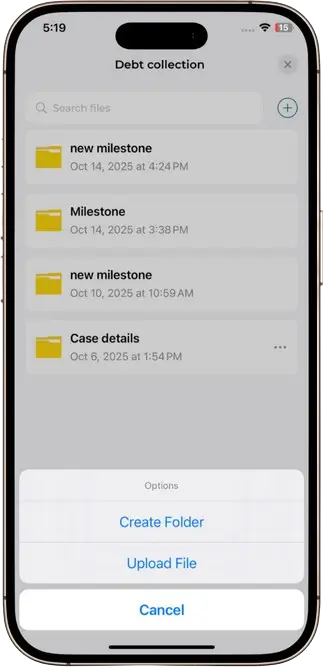
Mobile File Access

Access folders and files from mobile.

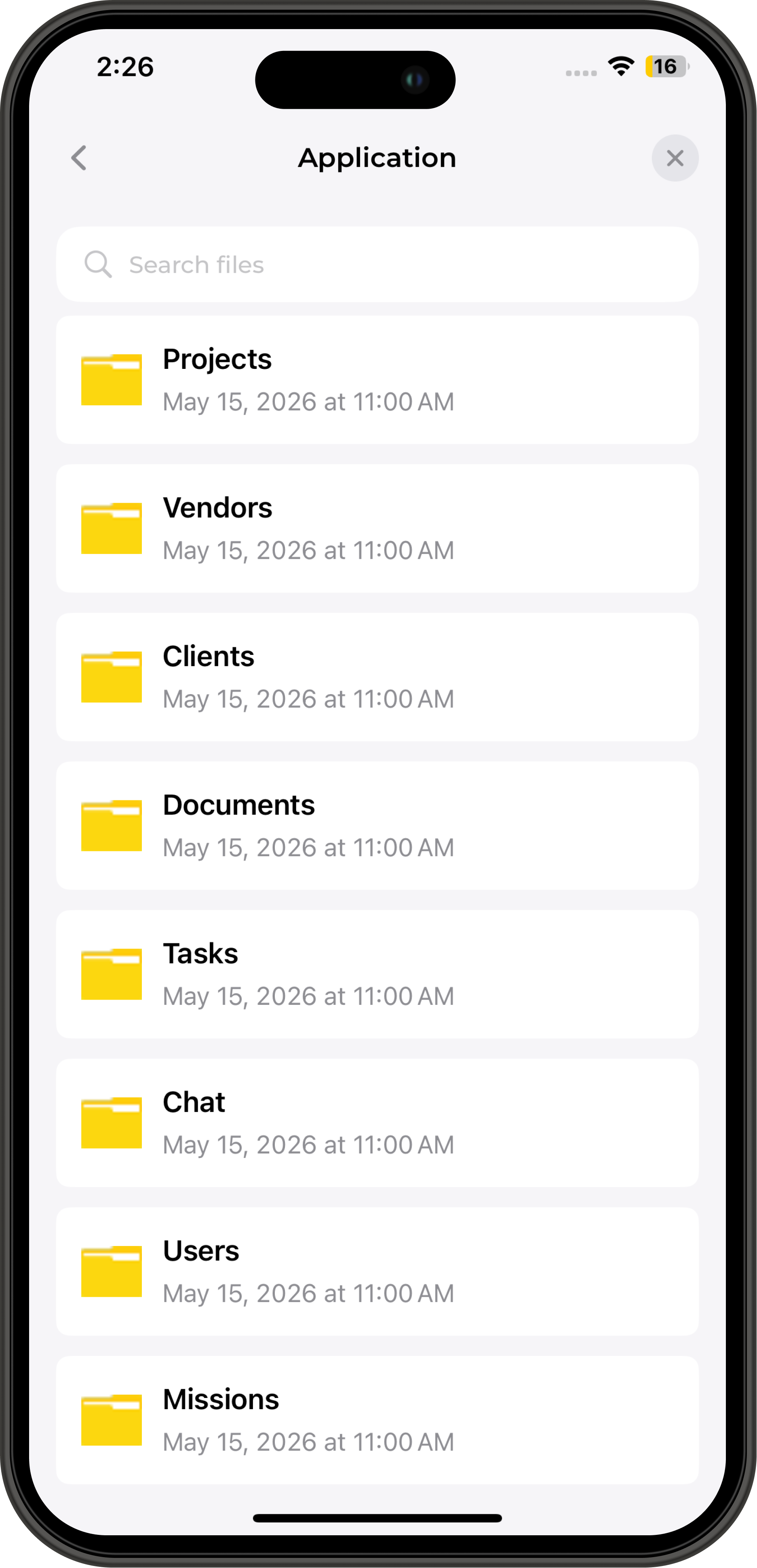
Mobile users can open shared folders, view file details, access assigned files, and download files when permission is available.

Browse folders

Open available folders from mobile.

View files

Open assigned files and check details.

Download files

Download files when access allows it.
File Search

Find files and folders quickly with search.

Search across folders and files by name, then open matching records directly from the file manager without browsing through every item manually.

File Search

Search folders and files by name

Folder Results

Find matching folders in the list

File Results

Locate files by filename and type

Open Results

Open matching files when access is available
Search files Search folders Open results
app.novologs.com/file-manager/search
Search files or folders...

Search

By name

Folder

Results

File

Results

Type
Name
Size
Modified
Folder result
Folder
General
0 bytes
19 Feb
Image result
Image
IMG_6729.png
117 Kb
04 Apr
Video
file_example.mp4
1.5 Mb
09 Apr

File Search

Search files

Search...

General

Folder result

IMG_6729.png

Image result

Search results

By name
Mobile File Search

Search files and folders from mobile.

Mobile users can search available files and folders by name, view matching results, and open records based on their access permissions.

Search by name

Find folders and files quickly.

Folder results

Show matching folders in search results.

File results

Open matching files when access allows it.
File Information

View file details and open files in a clean file viewer.

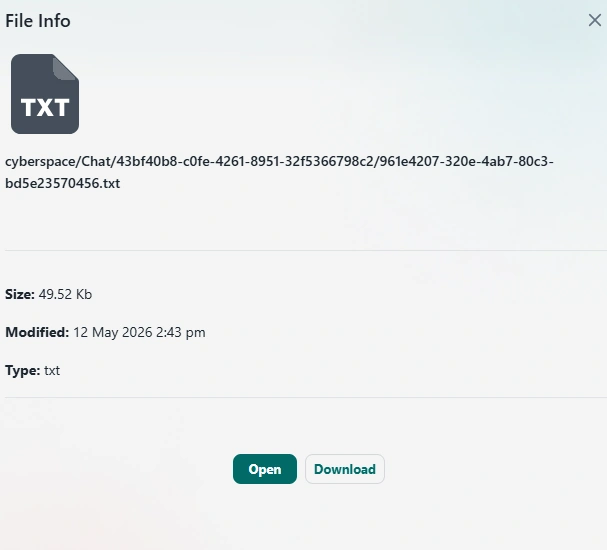
Check file name, type, size, modified date, and available actions before opening or downloading the file. On mobile, users can view file details and open supported files through a simple file viewer.

File Name

Display the selected file name clearly

File Type

Show whether the item is image, video, or document

File Metadata

Review file size and last modified time

File Viewer

Open supported files in a readable view
File details File viewer Open & download
app.novologs.com/file-manager/info
NOVOLOGS File Information Web View

File Viewer

Image Preview

Open

22d482f0.png

Image · 117.08 Kb

Mobile File Viewer

Mobile users can open files in a simple viewer.

From mobile, users can view file details, preview supported files, and download files when their access permission allows it.

File viewer

Open supported files in a mobile-friendly view.

Check details

Review file name, type, size, and modified date.

Download if allowed

Download files when permission is available.
Open & Download
Open & Download

Open and download files directly from the file manager.

Users can open supported files, review file details, and download files when access is available, keeping file actions simple and clear.

Open Files

Open selected files from the file info panel

Download Files

Download files when permission is available

File Info

Review name, size, type, and modified date

Permission-based Actions

Open and download appear based on access
Open file Download file File info Access-based actions
app.novologs.com/file-manager/info

File Info

TXT

cyberspace/Chat/43bf40b8-c0fe-4261-8951-32f5366798c2/961e4207-320e-4ab7-80c3-bd5e23570456.txt

Size: 49.52 Kb
Modified: 12 May 2026 2:43 pm
Type: txt

File

Open & Download

Ready
TXT

document-file.txt

49.52 Kb · txt

Mobile Open & Download

Open and download files from mobile.

Mobile users can open files, check file details, and download files when their access permission allows it.

Open files

Open available files from mobile.

Check details

Review type, size, and modified date first.

Download files

Download when permission is available.
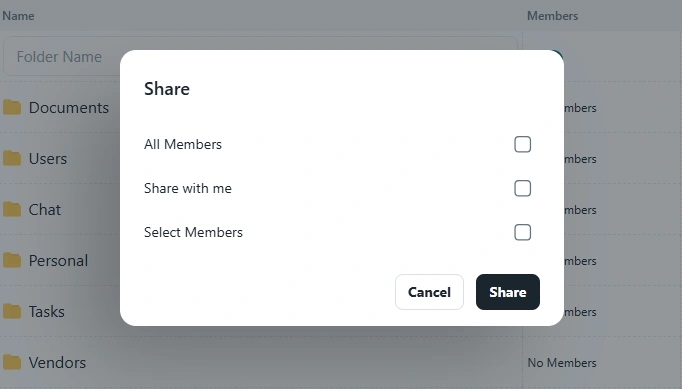
Controlled File Sharing

Share files and folders with selected members.

Share selected files or folders, choose members who should receive access, and keep shared file visibility limited to the right users.

Share Files

Share selected files with assigned members

Share Folders

Allow members to access complete folders

Member Selection

Choose members before sharing access

Access Control

Keep shared access limited to selected members
Share files Share folders Select members Controlled access
app.novologs.com/file-manager/share
NOVOLOGS File Member Sharing Web View

Share

Select Members

3 selected

General Folder

Folder selected for sharing

R

Randa

Member selected

Added
M

Member

Access included

Selected
Mobile Member Sharing

Share files and folders with selected members from mobile.

Mobile users can choose members, share selected files or folders, and confirm access from a simple sharing flow.

Share files

Share selected files with chosen members.

Share folders

Allow selected members to access folders.

Select members

Choose who should receive access.

Manage files in four simple steps

Store, organize, access, and monitor files securely from one centralized repository platform.

1
Step 01

Upload Files

Upload documents, images, contracts, spreadsheets, and business files into the centralized repository.

Multi-format support
2
Step 02

Organize Repository

Structure files with folders, categories, projects, departments, and searchable tagging systems.

Structured storage
3
Step 03

Access & Share

Share files securely across departments, teams, clients, and vendors with permission-based access.

Secure permissions
4
Step 04

Monitor Activity

Track uploads, downloads, version history, repository activity, and file access logs in real time.

Repository analytics

The actual NOVOLOGS
file repository —
built for organized storage.

Access folders, company files, project documents, and shared records from one centralized repository available across web, iOS, and Android.

Web Repository

Centralized access

iOS

Mobile file access

Android

Real-time sync

Secure Repository

Permission-based access

NOVOLOGS File Repository
File Repository

Centralize your files.
Organize everything securely.

Store, organize, access, and share business files, project records, and company documents from one centralized repository platform.

Secure Repository Web, iOS & Android Permission-Based Access